 Free shipping

Business Envelopes With Window: Types, Sizes, and How to Choose the Right One
- Window envelopes display the recipient address through a transparent film panel: no labels, no separate addressing step.
- The standard window is 1-1/8 x 4-1/2 inches at 7/8 inch from left and 1/2 inch from bottom, aligned for QuickBooks, Sage, and standard billing software.
- Per USPS DMM 202, the address must stay visible even when the insert shifts 0.25 inches in any direction inside the sealed envelope.
- Z-fold only: never C-fold. A C-fold causes the address to face inward, the most common window alignment failure.
- Single window for outgoing mail; double window for check and AP workflows where both addresses show through.
- Security tinting blocks read-through for HIPAA, financial, and payroll correspondence.
- Gum flap for inserter machines only; peel-and-seal or flip-and-stick for manual batch sealing.
- What Is a Window Envelope and How Does It Work?
- Who Invented the Window Envelope?
- Why Does Alignment Matter and How Do You Get It Right?
- How Do You Fold a Document for a Window Envelope?
- What Is Insert Shift and Why Does USPS Care?
- Single Window vs. Double Window: Which One Does Your Operation Need?
- When Do You Need Security Tinting?
- Can Sensitive Information Show Through a Window Envelope?
- What Is a Full-View Window Envelope?
- Which Window Envelope Size Fits Which Document?
- What Is the Window Film Made From?
- Gum Flap, Peel and Seal, or Flip and Stick: Which Sealing Option Is Right?
- Are Window Envelopes Safe to Run Through a Laser Printer?
- What USPS Rules Apply to Window Envelopes?
- Are Window Envelopes More Expensive to Mail?
- How Do You Get Custom Printing on Window Envelopes?
- Why Business Envelopes?
- What Customers Say
- Frequently Asked Questions
Introduction
Business envelopes with window are the operational standard for any office that processes mail in volume. The reason is straightforward: the recipient's address is already on the document going inside, so displaying it through a transparent film panel eliminates the labeling and addressing step entirely. No separate print run for the envelope, no adhesive labels that peel in transit, no risk of mismatching an address to the wrong piece.
What most buyers don't account for until they're mid-order is that "window envelope" covers a wide range of configurations. Security tinted vs. plain, single window vs. double window, gum flap vs. self seal, standard vs. full view, and specific window positions that must align with your document template. Choosing the wrong combination means misaligned addresses, non-machinable surcharges, or returned mail. This guide covers every variable in plain terms so you choose correctly the first time.
For a direct comparison with plain envelopes and when each format makes more sense, see Window Envelope vs. Regular Envelope Guide.
What Is a Window Envelope and How Does It Work?
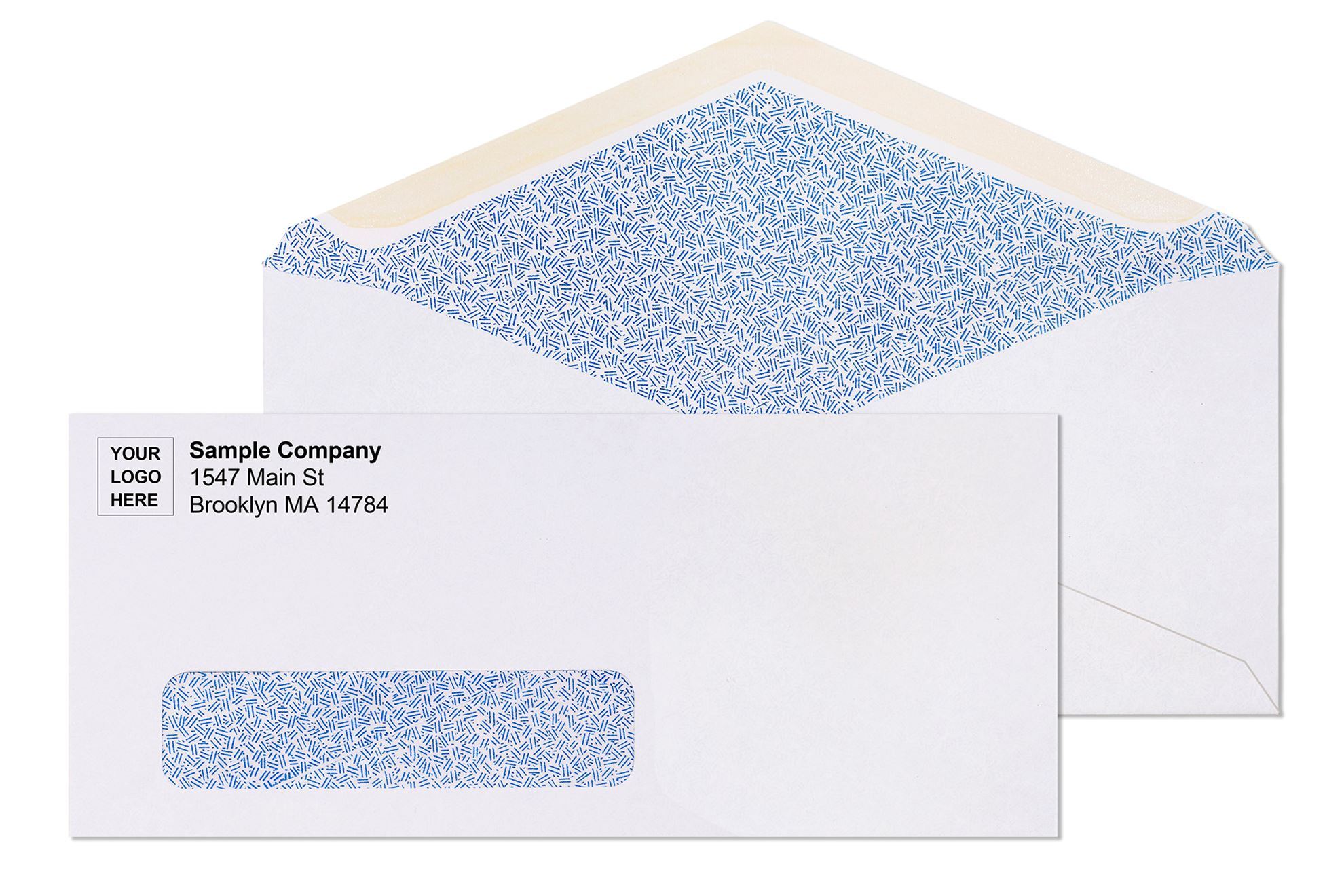
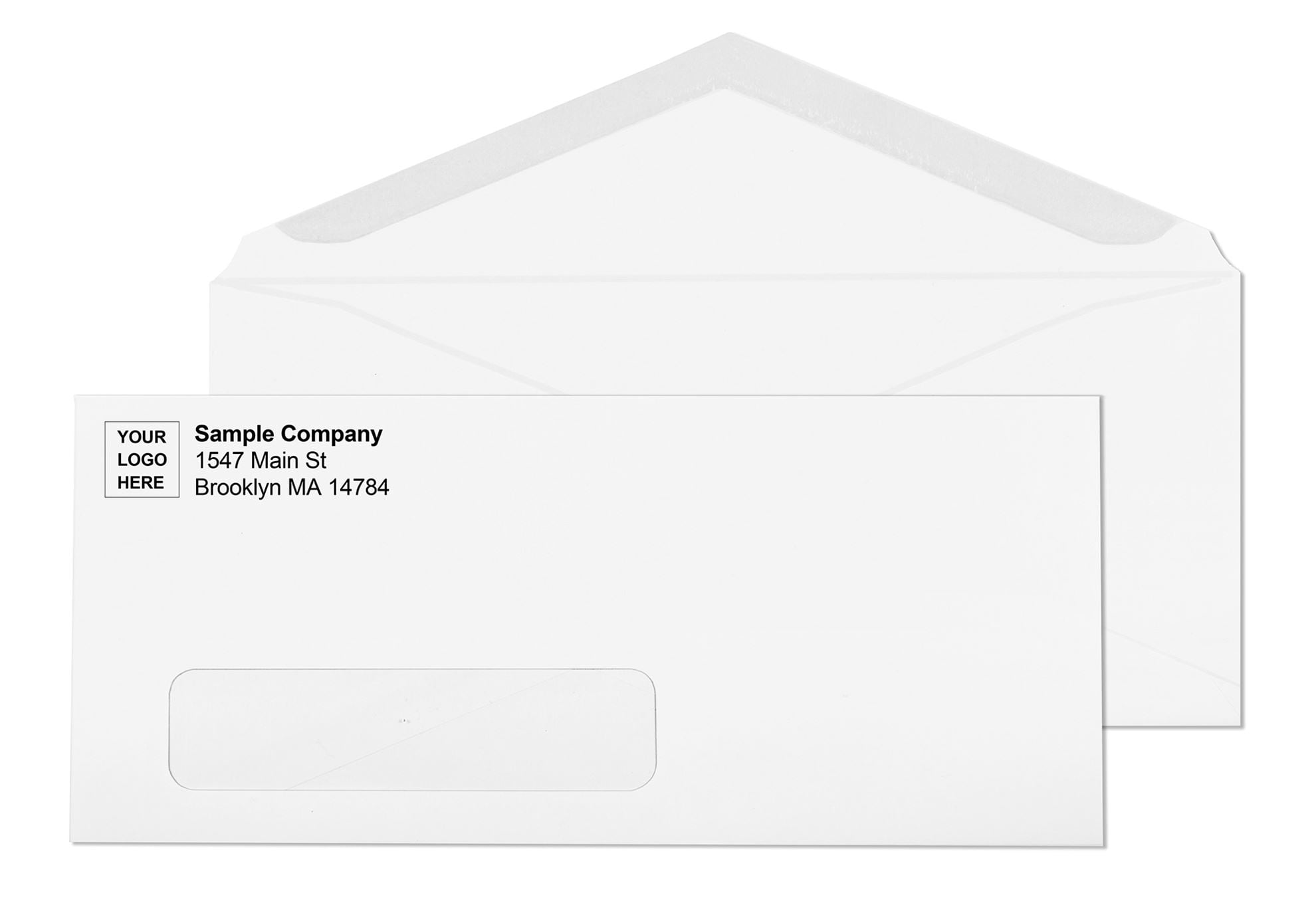
A window envelope has a rectangular cutout on the front face covered by a thin transparent film patch. You fold the enclosed document so the address block faces outward and sits directly behind the film. The postal carrier reads the address through the film without you printing or labeling anything on the envelope itself.
The window sits in the lower-left area of the envelope front, which is exactly where USPS optical character recognition (OCR) scanning equipment looks for the delivery address. When a billing statement, invoice, or check is folded and inserted correctly, the address printed on the document shows through and is processed by USPS automation equipment exactly as if it were printed on the envelope face directly.
The concept works because billing software, accounting platforms, and payroll systems all place the address block in a predictable location on the printed document. Fold that document consistently and the address falls behind the window every time, with no additional work from the mail room.
Who Invented the Window Envelope?
Americus F. Callahan of Chicago, Illinois received US Patent 701,839 for the window envelope on June 10, 1902. He originally called it the "outlook envelope." The design was completed on November 15, 1901 and filed with the patent office on December 9, 1901.
Callahan initially proposed thin rice paper as the transparent material forming the window. He also recommended Manila paper for the envelope body to provide an opaque background that would secure the letter inside from casual view. The Envelope Company of Springfield, Massachusetts began manufacturing window envelopes in July 1902, just one month after the patent was granted.
The original rice paper window was later replaced by glassine, a paper-derived translucent material, and by the mid-twentieth century by clear plastics including polypropylene and polystyrene. The core design otherwise remained nearly unchanged for over 120 years. Callahan's insight, that the address on the document inside could serve as the address on the outside, eliminated one of the most error-prone steps in volume mailing: transcribing or printing each recipient's address onto a separate envelope.
Why Does Alignment Matter and How Do You Get It Right?
The standard window patch on a commercial business envelope measures 1-1/8 inches by 4-1/2 inches, positioned 7/8 inch from the left edge and 1/2 inch from the bottom. This is the industry specification that QuickBooks, Microsoft Word mail merge, Sage, Wave, and most other US accounting and billing platforms are already formatted around. For most offices using standard software, the address aligns correctly with no adjustments needed.
Before running any large batch, test one piece first. Fold a printed document, insert it into a sealed envelope, and hold the sealed piece up to a light source. USPS requires a minimum 1/8-inch clearance between the address text and all four edges of the window for automated sorting compliance. If any part of the address text runs too close to the window edge, the piece may fail OCR at the sorting facility and miss automation pricing. Fix the document template position before the batch, not after.
For step-by-step alignment troubleshooting by software platform, see the Window Envelope Alignment Guide.
How Do You Fold a Document for a Window Envelope?
The fold direction is critical. Use a Z-fold, not a C-fold. The two folds look similar but produce opposite results inside the envelope.
What Is Insert Shift and Why Does USPS Care?
Insert shift is the movement of the document inside a sealed window envelope during postal handling and automated sorting. USPS automated sorting machines move mail at high speed, and the insert inevitably shifts inside the envelope during that process. If the address block is positioned too close to any window edge to begin with, insert shift pushes it out of view, and the piece fails OCR scanning.
USPS DMM regulation 202 states that the full delivery address must remain completely visible through the window when the insert moves to its full limits in each direction. The minimum 1/8-inch clearance between the address text and all four window edges must be maintained at all points of insert movement, not just when the insert is centered.
According to USPS mailpiece design analysis data, insert shift is the single most common cause of window envelope processing failures. A piece that fails OCR is either returned to sender or sorted manually, which removes it from automation pricing and delays delivery. For a high-volume billing operation, the postage cost difference between automation and non-automation rates on even a single mailing cycle is significant.
Two other insert shift triggers that billing software users miss:
- Country line on domestic addresses. Some billing platforms automatically add "United States" or "USA" as a final line to every address, including domestic US recipients. This extends a standard 5-line domestic address to 7 lines, pushing the ZIP code line against the bottom edge of the window. Remove the country line from domestic address templates before mailing.
- Slippery paper stock. Coated or glossy paper slides more freely inside the envelope than standard 20 lb bond. If your billing documents use coated stock, run a larger sample test with sealed pieces to account for the additional slide range.
Single Window vs. Double Window: Which One Does Your Operation Need?
Single Window Envelopes
One transparent opening in the lower-left area displays the delivery address. Return address is either pre-printed on the envelope during manufacturing or added separately.
Single window envelopes cover the majority of business mailing: monthly billing statements, invoice runs, marketing letters with personalized address blocks, legal notices, and healthcare correspondence. The #10 window envelope is the US default for business mail at 4-1/8 x 9-1/2 inches. It accepts a standard 8.5 x 11 letter sheet folded in thirds with the address block landing in the window automatically.
Double Window Envelopes
Two transparent openings: one lower for the recipient's delivery address, one upper for a second field such as the return address or an account reference number. Both display from the document inside. Nothing is printed or labeled on the envelope face.
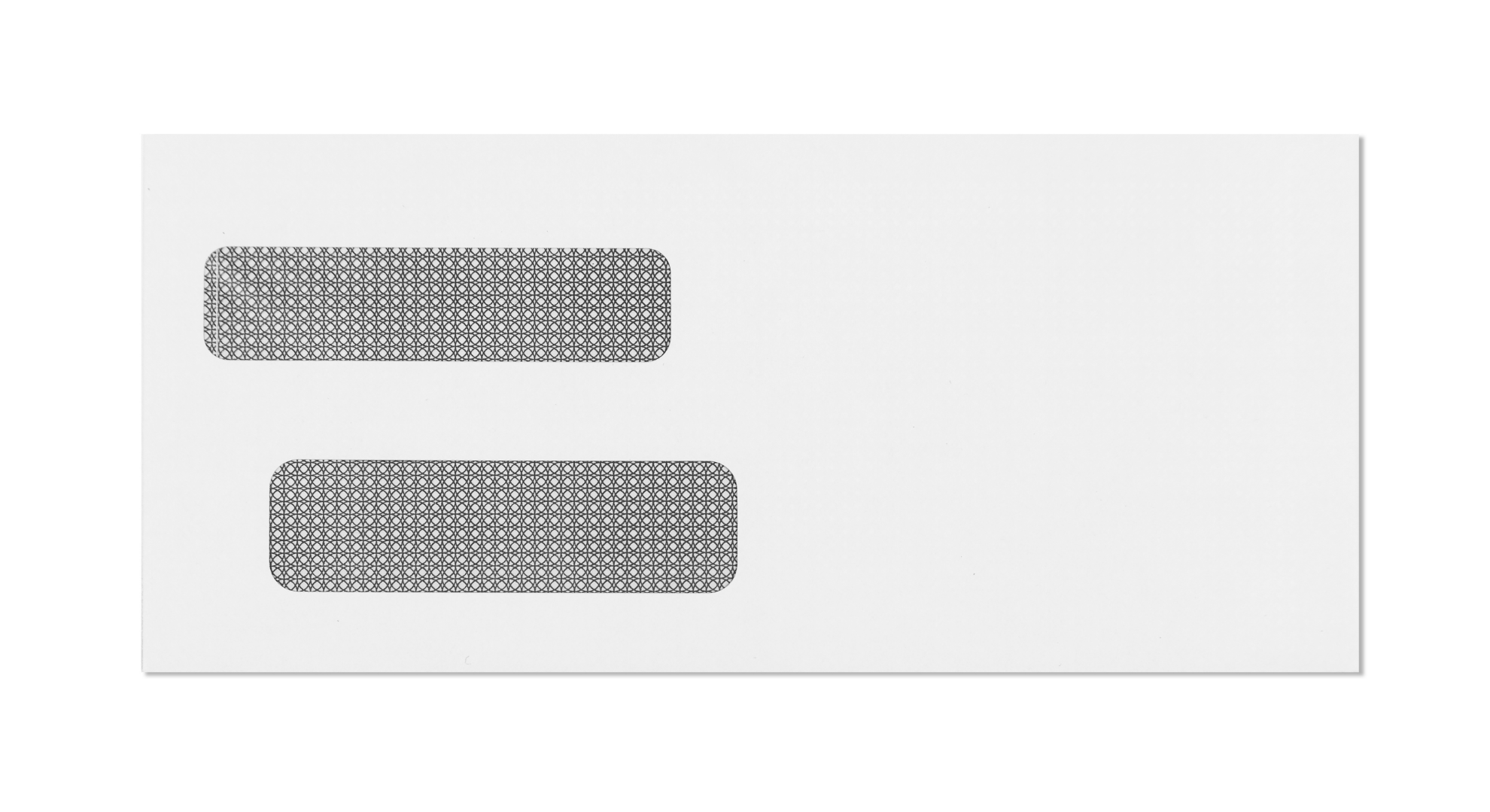
Double window envelopes were designed specifically for check mailing and accounts payable operations. If your accounting software prints checks with both the payer and payee addresses on the check face, a double window removes the addressing step entirely. Slide the check in, both addresses sit in their windows, seal and mail. The check-format double window is specifically positioned to show the payee address in the lower window while keeping routing numbers, account numbers, and check amounts behind the opaque envelope body.
For QuickBooks users: QuickBooks prints three check formats: voucher, standard, and wallet. Voucher check format places addresses in positions that align with standard double window envelopes. Standard and wallet checks use different address positions. Run a test piece with your specific check format before a full AP or payroll batch. See QuickBooks Envelope Size Guide and the full Double Window Envelope Template for Word.
For the complete double window range and format options, see Double Window Envelopes Guide and for payroll-specific guidance, see the Payroll Envelope Guide.
When Do You Need Security Tinting?
Same transparent film window, but the interior of the envelope body is printed with a reflex blue or dark geometric pattern. When a sealed envelope is held to light, the interior pattern blocks the contents from showing through the paper. Only the address block behind the clear window remains visible from outside.
Security tinting is the professional standard for financial statements, payroll correspondence, insurance documents, healthcare notices, and any mailing carrying personal or financial data. The #10 tinted window self seal envelope is the format most billing departments, medical offices, and financial services firms use as their default outgoing mailer.
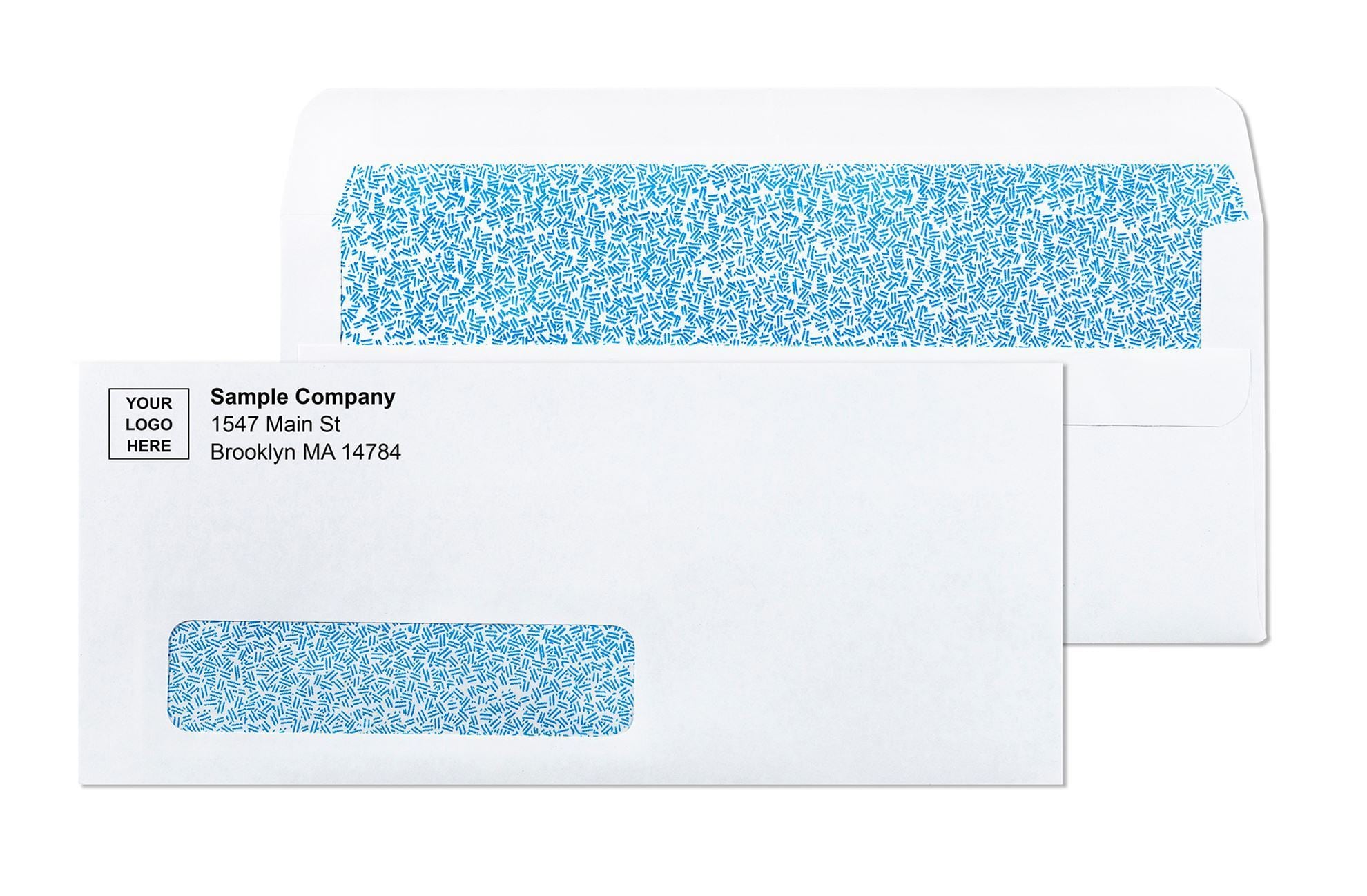
On HIPAA compliance: the regulation requires covered entities to implement reasonable safeguards for protected health information in transit. Security-tinted window envelopes are the recognized industry standard for satisfying that safeguard requirement for physical mail. They are used by default in healthcare billing operations, not as a special precaution. For a complete breakdown of when security tinting is required vs. optional, see Security Tinted Envelopes Guide.
Plain Clear Window Envelopes
Standard clear film, white wove body, no interior tinting. Appropriate for general business correspondence, marketing mail, and any mailing where the contents are not sensitive. The #10 window wove gum flap is the baseline format for everyday correspondence.
Can Sensitive Information Show Through a Window Envelope?
Yes, if the document template is not designed carefully or if insert shift moves the wrong content into the window zone during postal handling. Account numbers, outstanding balances, patient record numbers, and other sensitive data printed near the address block on a billing document can drift into the visible window zone when the insert shifts.
There are two distinct privacy risks with window envelopes:
- Read-through on the body. Without security tinting, document contents printed near the center or edges of the envelope can sometimes be read by holding the sealed piece to bright light. Security tinting eliminates this.
- Sensitive data in the window zone. If account numbers, social security numbers, or patient data are positioned close to the address block on the document, insert shift can push them into the visible window. Security tinting does not prevent this because the window itself remains clear. Only proper document design prevents it.
What Is a Full-View Window Envelope?
A large clear panel covering most of the envelope face. The 9x12 full-view window booklet envelope displays up to 7 x 9-3/4 inches of the enclosed piece, most of an unfolded 8.5 x 11 sheet.
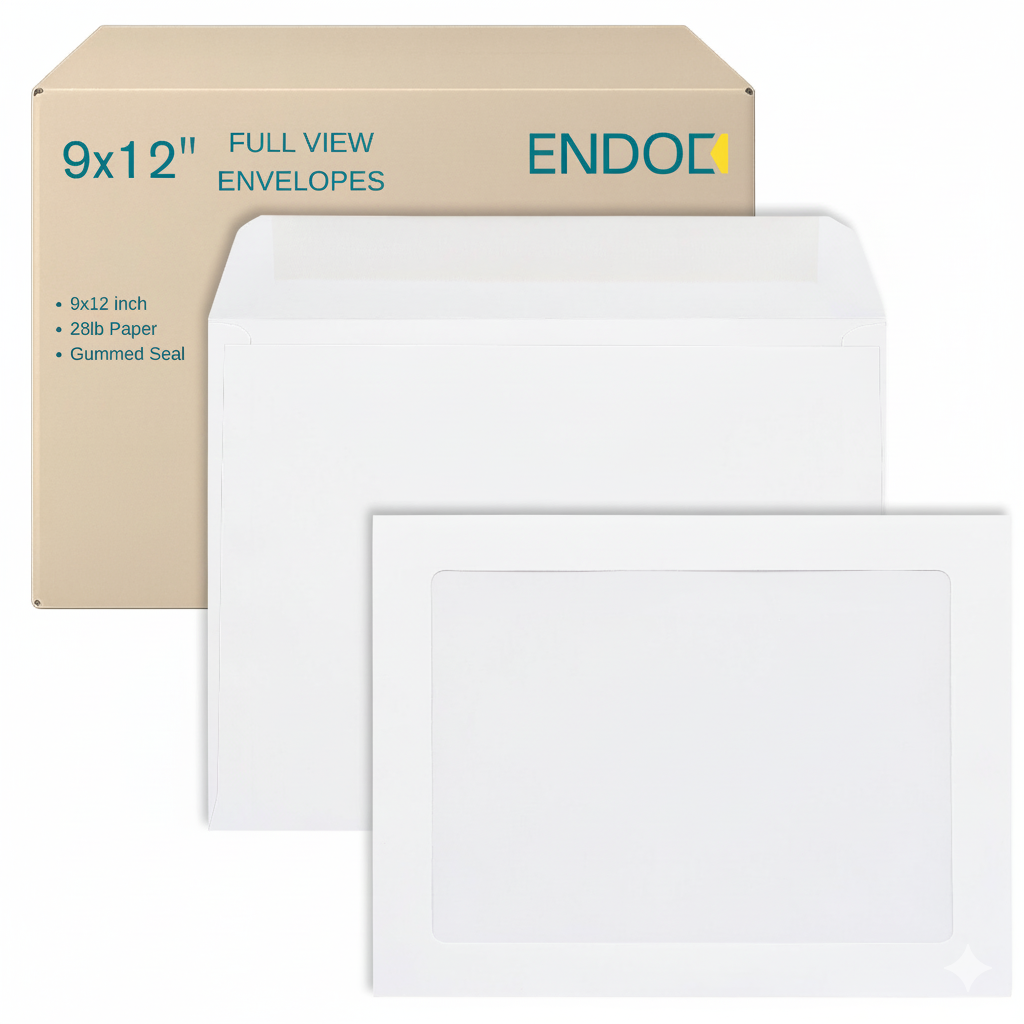
Used for direct mail campaigns where the visual impact happens before the envelope is opened, and for shipping headshots, certificates, and portfolio materials where arrival presentation matters. The full-view format eliminates the addressing step entirely for any document that already carries its own address, while creating an immediate visual impression without requiring the recipient to open anything.
Which Window Envelope Size Fits Which Document?
| Size | Dimensions | Document Fit | Primary Use |
|---|---|---|---|
| #9 | 3-7/8 x 8-7/8 in | Short document or reply card | Return envelope nested inside outgoing #10 |
| #10 | 4-1/8 x 9-1/2 in | 8.5x11 tri-folded (Z-fold) | Invoices, statements, business letters, payroll |
| #11 | 4-1/2 x 10-3/8 in | Longer document, fewer folds | Multi-page statements, legal notices |
| #14 | 5 x 11-1/2 in | 8.5x14 legal-size tri-folded | Government mail, legal filings, legal letterhead |
| 9x12 | 9 x 12 in | 8.5x11 unfolded, full view | Contracts, catalogs, certificates, photo mailers |
The #9 window envelope deserves a specific note: its primary role is not outgoing mail. It's the standard return piece nested inside an outgoing #10. The recipient pulls out the pre-addressed return envelope, inserts their payment or response, and mails it back. For any billing or donation program that includes a reply envelope, the pairing is a #10 outgoing with a #9 enclosed.
For the #9 window, both plain and security tinted versions are stocked: #9 White Window Wove Envelopes and #9 Security Tinted Window Envelopes. For the #11 format, see #11 Window White Wove Envelopes. For legal-size correspondence, see Legal Size Window Envelope Guide and #14 Window White Wove Envelopes.
Browse the full window envelope range for all sizes and configurations.
What Is the Window Film Made From?
The transparent panel in a commercial window envelope uses one of three materials. The choice affects recycling, OCR scan performance, and laser printer compatibility.
All three film types comply with USPS transparency requirements for OCR scanning. One additional rule applies across all three: do not use reflective, glossy, or metallic film in a window envelope. Dark, reflective, or metallic window materials reduce barcode scan accuracy on USPS automated sorting equipment and can cause the piece to be rejected from automation processing. Standard matte film in all three material types passes USPS scanning compliance.
For the complete guide to window film materials, transparency standards, and how to confirm your envelope is USPS-compliant for automated processing, see the Envelope Window Material Guide.
Open-Face vs. Closed-Face Windows
A closed-face window has a transparent film patch sealed over the cutout, which is the standard on all commercial business window envelopes. An open-face window has the cutout exposed with no film covering. Open-face windows are susceptible to tears and snags during machine insertion and postal steam treatment at sorting facilities. For any mailing that will run through an automated inserter or a USPS sorting facility, use closed-face window stock only. All window envelope formats stocked at Business Envelopes use closed-face windows.
Gum Flap, Peel and Seal, or Flip and Stick: Which Sealing Option Is Right?
Gum flap (remoistenable) uses water-activated adhesive. It is the mandatory format for automatic mail insertion equipment. Inserter machines from Pitney Bowes, Neopost, and Bell and Howell are calibrated to moisten and seal gum flap stock at the end of the insertion cycle. If your operation runs an inserter, gum flap is the only compatible closure. For a full guide to running window envelopes through automated equipment, see Automated Mailing Envelope Guide.
Peel and seal has a pressure-sensitive adhesive strip protected by a paper liner. Peel the liner, press the flap. The adhesive bonds on contact and most formats include tamper-evident perforations along the flap that tear visibly if someone tries to open a sealed piece. Right for pre-stuffed batches, staged mailings, and any correspondence where tamper evidence is a compliance requirement.
Flip and stick uses two exposed latex adhesive tabs on the flap interior. No liner, one fold-and-press motion. Faster per piece than peel and seal because there is no liner removal step. For billing and payroll departments running large same-session batches manually, flip and stick is the fastest sealing method available without an inserter machine.
All three closure types are available across the full self seal envelope range in every standard commercial size. For a direct comparison of closure performance, shelf life, and compatibility with different mailing workflows, see Peel-and-Seal vs. Flip-and-Stick Guide.
Are Window Envelopes Safe to Run Through a Laser Printer?
Not automatically. Standard commercial window envelopes are designed for pre-printed documents inserted after printing, not for running the envelope itself through a laser printer. The heat from a laser printer fuser unit, typically 375 to 425 degrees Fahrenheit, can melt or distort the window film, activate self-seal adhesive prematurely, or cause the envelope to jam in the paper path.
Laser-safe window envelopes are manufactured with a film and adhesive system rated to withstand that heat without warping, melting, or triggering early seal activation. If your office prints variable data, return addresses, or barcodes directly onto window envelopes in-house, confirm the stock is rated laser-safe before running a batch. All laser-safe formats in the catalog are labeled at point of purchase.
For the complete guide to printing envelopes in-house across laser, inkjet, and bulk equipment, see How to Print on Envelopes: Complete Guide and Laser Printer Envelopes Guide. For a full overview of wove window stock that works with in-office printing, see #10 Wove Window Envelopes Gum Flap.
What USPS Rules Apply to Window Envelopes?
USPS DMM 202 governs window envelope specifications for automated processing. Key requirements:
- The full delivery address must be visible through the window at all points of insert movement, with a minimum 1/8-inch clearance between the address text and all four window edges.
- The address must fall within the USPS OCR read zone: between 1/2 inch and 2-3/4 inches from the bottom of the envelope, and between 1 inch and 5-1/2 inches from the right edge.
- No printed lines, logos, or graphics may appear within the window opening or directly adjacent to it on the document face visible through the window.
- The window film must be transparent enough for OCR scanners to read printed addresses through it. Reflective, glossy, or metallic films are not compliant.
- The address must be printed on white or very light-colored paper with high-contrast black ink for OCR readability. Glossy coatings on the address area of the document reduce scan accuracy.
- For non-automation rate mail, the bottom edge of the address window must not extend more than 1/8 inch into the barcode clear zone.
Non-compliance does not always mean the piece is undeliverable. It means it may be sorted manually, which triggers non-machinable surcharges and slower delivery. For high-volume operations, the postage cost of non-machinable handling adds up quickly. For the full breakdown of non-machinable triggers and how to avoid them, see Non-Machinable Envelope Guide. All window envelopes stocked at Business Envelopes are manufactured to current USPS postal specifications.
Are Window Envelopes More Expensive to Mail?
No. Window envelopes qualify for the same USPS First-Class letter postage as non-window envelopes of the same outer size. The transparent film does not affect postage classification. A #10 window envelope mails at $0.82 for the first ounce in 2026, the same rate as a plain #10 envelope. Only the outer dimensions, weight, and sealed-piece thickness determine the rate.
Can you use a postage meter with window envelopes? Yes, on any format. Metered postage costs $0.78 per piece vs. $0.82 for a stamp, saving $0.04 per piece, or $40 per 1,000 pieces. For any operation mailing more than a few hundred pieces per month, metered postage consistently reduces postage cost. See Metered Mail vs. Stamps for the full comparison, and #10 Envelope Postage Guide for the 2026 rate table by weight.
How Do You Get Custom Printing on Window Envelopes?
Logo and return address printing is available on every window envelope format with no minimum order. The artwork prints on the envelope face, not the window area. Once your design is approved and on file, reorders reproduce without re-submitting files or running new proofs. Custom stock ships within 7 to 10 business days from proof approval. Blank stock ships same or next business day. Free shipping on every order, no minimums, across the contiguous 48 states.
Custom-printed window envelopes are available through printed window envelopes. For custom window placement options and non-standard configurations, see Custom Window Envelopes Guide. For organizations setting up a complete mailing program, request a quote and we will price the full package. For check envelopes specifically, see Check Envelope Guide.
Why Business Envelopes?
Business Envelopes has supplied window envelopes to US businesses since 1997. Nearly three decades of serving billing departments, accounts payable teams, healthcare billing services, financial services firms, law offices, and payroll operations means the questions in this guide come directly from real customer situations, not from theory. Every format in the catalog is built to USPS postal specification and manufactured to pass the insert-shift compliance test before it leaves the factory.
- No minimums on any order
- Free ground shipping on every order to the contiguous 48 states
- Blank stock ships same or next business day
- Custom-printed orders ship within 7 to 10 business days from proof approval
- PDF proof before every production run
- Artwork stays on file for reorders
- Every window format manufactured to current USPS postal standards including USPS DMM 202
- Security tinted formats comply with HIPAA physical mail safeguard standards
Browse the complete selection at window envelopes and Window Envelopes Guide.
What Customers Say
Verified Purchase: #10 Envelopes Tinted White Window Gum Flap
"They were perfect, and the shipping was Super Fast!!! I will continue to order my company envelopes from your company!!"
Verified Purchase: #10 Envelopes Tinted White Window Gum Flap
"The customer service is exceptional. I got several PDF proofs till I was 100% happy!! My artwork looks fantastic on the high quality envelopes..."
Verified Purchase: #10 Window Business Envelopes White Gummed Seal Custom Printed
"The envelopes arrived and look great, thank you for your help getting the bulk mail permit block the right size!"
Conclusion
Business envelopes with window are not a specialty purchase. They are the operational standard for billing departments, payroll teams, accounts payable operations, healthcare billing services, and any office that processes outgoing mail consistently. The specific configuration you choose, security tinted vs. plain, single vs. double window, gum flap for inserters vs. self seal for manual batches, determines how efficiently your mailing program runs. The USPS DMM 202 insert-shift compliance spec and the Z-fold alignment test are two details worth getting right before a large run. Business Envelopes has supplied window envelopes to US businesses since 1997. Every format in the catalog is built to postal specification, laser-safe where marked, and available blank or custom printed with free shipping and no minimum order.